Roadmap
Marketplace roadmap
A clear view of the planned product and community work to grow WCW Marketplace.
Use the sections below to align priorities across buyers, vendors, mentors, and admins.
How to use this page
- Use each lane to confirm the owner, status, dependencies, and next decision.
- Flag items that need a prototype, governance review, accessibility check, or partner input.
- Share the page with the WCW team so new requests are mapped back to the right priority area.
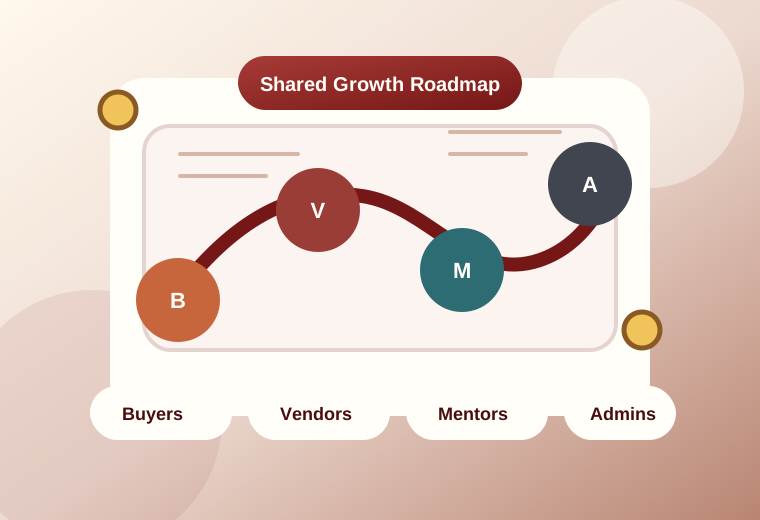
Each lane maps a distinct user or operations flow across the marketplace.
Capabilities grouped into branches so discovery, trust, and delivery stay visible.
Items marked live or in progress represent the near-term execution surface.
Planned next-phase items that should drive the next product and admin decisions.
Admin command center
Surface every admin requirement and page so governance, approvals, and exports live in one screen.
- Admin dashboard plus listings/exports
- Vendor verification and badge workflows
- Segments, taxonomy, and spotlight configuration
- Audit log, bulk imports, and data clean-up jobs
Vendors & mentors workspace
Keep the partner side focused: listings, bookings, mentorship, learning, and reporting tools.
- Browse, showcase, and directory discovery
- My listings/profile editor with availability controls
- Paid business development support, sessions, and notes
- Learning hub links plus resource downloads
Roadmap views
Marketplace roadmap workspace
Review each lane as a capability map, phased roadmap, and launch action set.
Marketplace entry path
Discovery to booking
Everything a buyer or learner should see from first search through booking, delivery, and follow-up.
Make discovery feel trustworthy and reduce friction between browsing and booking.
- Browse listings by segment, country, and tags.
- Keyword search with type-ahead and saved searches.
- Segment landing pages with counts and top vendors.
- View vendor profile with bio, sector, location, badges, and reviews.
- Download learning resources linked to a listing.
- Review featured vendors and showcase highlights.
- Submit a service request with message and preferred timeline.
- Book a session with date, time, duration, and calendar invite.
- Rate and review a delivered service.
- Tighten search and request flow. Live
- Launch stronger vendor trust signals. Live
- Saved searches and recommendations. Live
- Cleaner booking confirmation journey. Live
- Personalized buyer workspace. Live
Partner workspace
Profile, listings, and sales flow
The vendor lane maps how entrepreneurs set up their presence, publish offers, and manage delivery.
Give vendors a cleaner publishing flow and stronger tools for managing demand.
- Create or edit vendor profile with display name, sector, location, and bio.
- Link learning resources or sample portfolios to a listing.
- Surface completion-based badges on profiles.
- Publish a service listing with type, name, description, and tags.
- Manage listing visibility with publish, unpublish, and highlight ordering.
- Toggle showcase participation or featured placement.
- Respond to requests with accept, decline, and buyer messaging.
- Manage availability and booking slots.
- Export vendor data, listings, and requests to CSV.
- Improve listing editor and visibility controls. Live
- Add stronger availability tooling. Live
- Portfolio attachments and showcase toggles. Live
- Vendor exports and activity summaries. Live
- Performance insights by listing and segment. Live
Paid Business Development Support Services
Coaching workflow
A focused lane for mentor onboarding, request management, and session follow-through.
Keep mentorship lightweight for mentors while preserving clear follow-up for mentees.
- Opt in to Paid Business Development Support Services.
- Set mentoring topics and office hours.
- Show mentor badge on qualifying profiles.
- Approve or decline mentorship requests.
- Auto-notify mentees on request lifecycle updates.
- Send calendar invites for booked sessions.
- Record private session notes and action items.
- Trigger feedback request after each session.
- Export session attendance and duration data.
- Finish mentorship request workflow. Live
- Office hours, notes, and post-session feedback. Live
- Mentor performance and cohort insights. Live
Campaign and event lane
Posting to participation
Programs, events, and campaigns need a clear promotion and response workflow of their own.
Help opportunities move from simple posting to visible campaign participation and exportable interest.
- Post an opportunity or event with title, country, and deadline.
- Highlight opportunities on the homepage carousel.
- Allow users to RSVP or express interest.
- Include opportunities in weekly digest emails.
- Export the interest list to CSV.
- Archive past opportunities with outcomes.
- Create the RSVP and interest flow. Live
- Carousel highlighting and digest inclusion. Live
- Exportable registrant lists. Live
- Outcome tracking per opportunity. Live
Quality controls
Verification to moderation
Safeguarding, badges, and policy checkpoints need a single lane rather than being scattered everywhere.
Raise confidence in the marketplace with visible reputation signals and moderation controls.
- Run vendor verification workflow with ID or affiliation checks.
- Award badges like Verified, Top-Rated, Fast Responder, and Mentor.
- Queue reviews for moderation with approve, reject, and reason codes.
- Provide one-click safeguarding reports with categories.
- Apply content removal policy steps.
- Capture terms and policy acknowledgment.
- Document dispute resolution steps and timelines.
- Display privacy notes covering storage and retention.
- Finish verification workflow. Live
- Badges, moderation queue, and safeguarding reports. Live
- Policy acknowledgments and retention surfacing. Live
Operations command center
Governance and operations
This lane keeps approvals, taxonomy control, clean-up jobs, and oversight in one command view.
Make governance faster without fragmenting admin work across too many screens.
- Approve vendors and listings with bulk actions.
- Edit segments and taxonomy with add, rename, and retire actions.
- Configure spotlight cards and homepage banner copy.
- Run clean-up jobs for stale listings and old requests.
- Bulk import vendors from CSV or XLSX.
- Toggle public showcase visibility and homepage highlights.
- Track who changed what and when in an audit log.
- Review moderation queues and verification outcomes.
- Monitor multilingual content gaps and accessibility checks.
- Bulk approvals and cleaner admin navigation. Live
- Taxonomy tools, spotlight controls, and clean-up jobs. Live
- Audit trails and import automation. Live
Exports and dashboards
Operational visibility
Exports, summaries, and country-level views belong in their own planning lane for data work.
Turn marketplace activity into exports and summary views that admins and partners can act on.
- Vendors export.
- Products and listings export.
- Requests export with status timeline.
- Country and segment dashboards for counts, conversion, and completion.
- Opportunity interest summaries and campaign performance snapshots.
- In-app and email notifications for new reviews and messages.
- Weekly digest of new listings and opportunities.
- Define export coverage for listings, vendors, and requests. Live
- Roll out digest and event summary reporting. Live
- Country dashboards and conversion reporting. Live
Foundations and future hooks
Learning, integrations, and UX
Shared foundations live here so every product lane can reuse the same tools and standards.
Build shared foundations once, then let every experience reuse them consistently.
- Curate How to buy and How to sell guides.
- Link Moodle courses to segments.
- Show recommended learning on relevant pages.
- Calendar ICS invites for booked sessions.
- SSO for Microsoft and Google, with LinkedIn later.
- Webhook and API stubs for future CRM or finance systems.
- Mobile-first card layouts.
- Multilingual strings and translation key coverage.
- Alt text and color-contrast standards.
- Clean up UI consistency and multilingual coverage. Live
- Learning guides and calendar invites. Live
- SSO and external system hooks. Live